WAN/LAN Alta Bacchus Feenix Gemini Hydra Molde Narvik Pixie Puffin Stamsund Bergen Mercury Torvik Ystad
Network Timekeeping CPU load Ecast I/O Ecast SNR Pkt loss Europe SNR Europe Pkts FSY size Correlations Losses Air °C Disk °C How-to

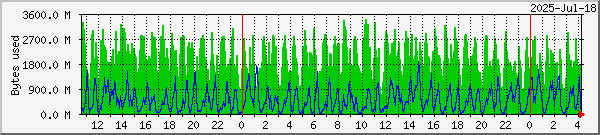
Missed packets & TelliCast FSY file size

Feenix TelliCast Graph

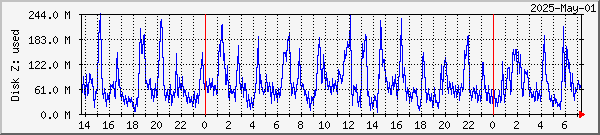
Main PC Feenix

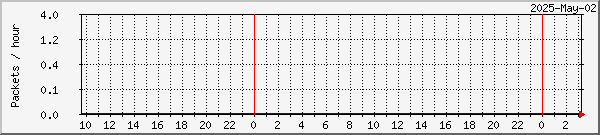
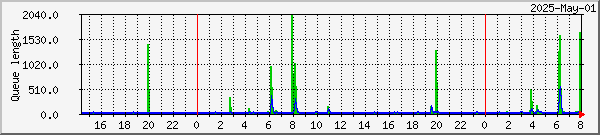
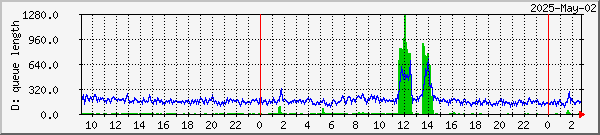
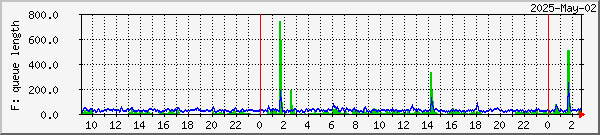
Missed packets
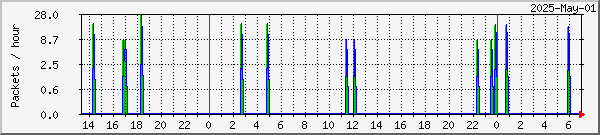
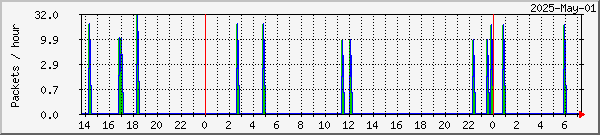
Recovered packets

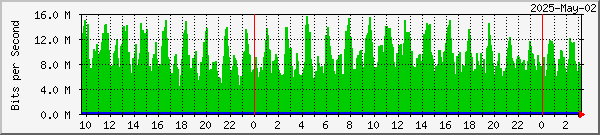
Alta DVB USB

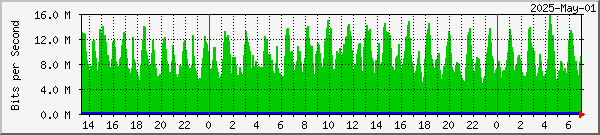
throughput
Main PC Feenix
SkyStar V2.6D PCI card, 4.4.1 drivers
TelliCast 2.4.4a
300MB RAMdisk Z: with TelliCast FSY file(s)
1.9GHz Pentium 4, 1GB, Windows XP Home SP3
MSG-1, MSG-2, DWDSAT, EARS-AVHRR & Metop-AVHRR

Win-7/64 PC Alta
Usage of 11GB partition E: with EUMETCast
install, up to 95MB logs, tmp & received
Up to ~100MB used by NTFS log files
Intel i5-760, 8GB, Windows-7 64-bit
MSG-1, MSG-2, DWDSAT, EARS-AVHRR & Metop-AVHRR

Vista PC Gemini
Usage of 39GB FAT32
scratch partition T:
EUMETCast tmp_directory & received

Test PC Hydra
SkyStar V2.6D PCI card, 4.5.1 drivers
TelliCast 2.5.17
Usage of 26GB hard disk partition T: with
EUMETCast received directory
AMD 64 3200+, 2GB, 64-bit Windows-7 Ultimate
MSG-2, EARS-AVHRR, all Metop-A data

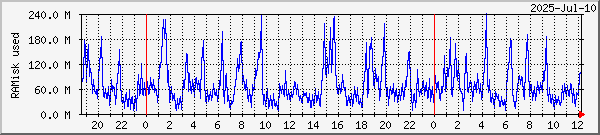
RAMdisk usage on Win-7/64 PC

Hydra

Usage of 500MB RAMdisk Z:
(was previously 300MB)
EUMETCast tmp_directory

Backup PC Stamsund
SkyStar V2.3 PCI card, 4.5.0a drivers
TelliCast 2.5.17
9GB FAT hard disk partition D: with EUMETCast
install, up to 95MB logs, tmp_directory & received
2.8GHz Pentium 4 HT, 3GB, Windows-7 Ultimate
MSG-2, MSG-1 RSS

Other periods: day week month year

Notes:

If using this data to size your own system, then for FSY files on a RAMdisk a general indication would be to use a RAMdisk of around 300MB such as that on PC Feenix, perhaps less if you only take Meteosat-9 and Meteosat-8 data, and don't take [EUMETSAT Data Channel 4] (which now may have large MODIS L1 data files if you have requested EUMETSAT to send that data).

For a separate EUMETCast partition such as on PCs Alta, Gemini & Stamsund for use with the new TelliCast 2.5.17 client, I recommend using at least twice the peak size shown in the graphs above. These days, using up to 2GB for a FAT32 partition should not eat into your hard disk space excessively!  Remember that the data flow can be 30-50GB per day, so if processing stops for a period, you many want to size the disk partition for the amount of data to be collected during any processing stoppage.

One feature of the 2.5.17 client is that as the temporary files are now on disk rather separately than in an FSY file set, when the client is restarted the older tempeorary files from the last run are not cleared out.  Therefore I am running a scheduled task to clear out data more than one day old on a nightly basis.   This will account for periods of up to two days with the temporary files occupying up to two or three times their normal disk space.   This affects both a RAMdisk or hard-disk based temporary files location on a TelliCast restart, and hard-disk based temporary files in the event of a computer restart.

PC Hydra is a special case, as it collects much data which is not processed, so that can amount to 12GB or more before it is deleted automatically, using the special feature of the MSG Data Manager, Setup, Options, File Controls, RX disk space control, Auto-clean minutes.

PCs Hydra is running the new client, but with the tmp_directory experimentally on a RAMdisk since 2010 Nov 21. The RAMdisk is sized at 300MB (on the 3GB RAM Hydra). Hydra is running 64-bit Windows-7.

Please note that between 2010 Nov 09 and Dec 10 some 294MB of training material was sent on a repeated daily basis, and this stayed in the "\received\Info-Channel-2\training" directories on PCs Gemini and Stamsund.  On PC Hydra, because the unprocessed EUMETCast \received\ files are deleted after 150 minutes (2.5 hours), there is less visible increase in the space used on partition T:
Please see: http://www.eumetsat.int/Home/Main/News/ProductServiceNews/801950?l=en

How to monitor disk space

 
Copyright © David Taylor  Edinburgh SatSignal home page Last modified: 2011 Nov 08 at 15:23:52