


|
|
BUFR ViewerThe BUFR Viewer is a program which is still under development. At the moment, it can read the scatterometer data from Metop-A and ERS2 satellites, the 100km and 25km QuikSat data, the SatWinds data from AQUA and TERRA, and the AMV (air-motion vector) data from EUMETSAT. All this data is available over the EUMETCast dissemination system. It can also read data from the EUMETSAT Archive facility (UMARF) which is available off-line, and includes Meteosat-2 and Meteosat-7 data. If there is sufficient interest, the program may be developed to allow other data to be visualised. Here is a sample of the ERS2 scatterometer product visualised by the BUFR Viewer, overlaid on a user-image background, and with country boundaries drawn in. You can zoom in to clarify data in a particular region.
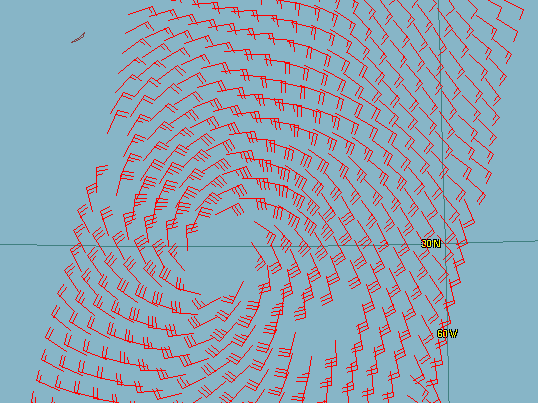
Zoomed in on hurricane Bertha, July 2008. Bermuda is the tiny island in the north-west corner of the screenshot.
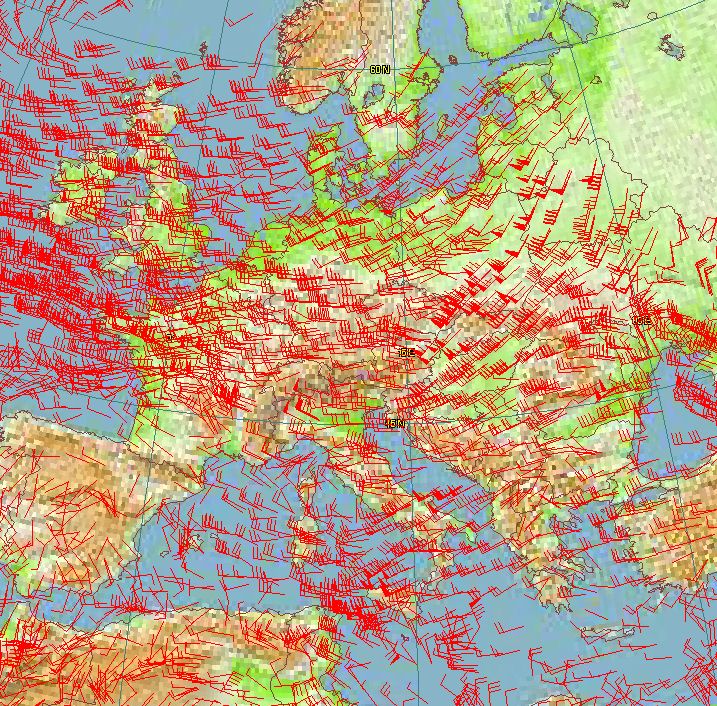
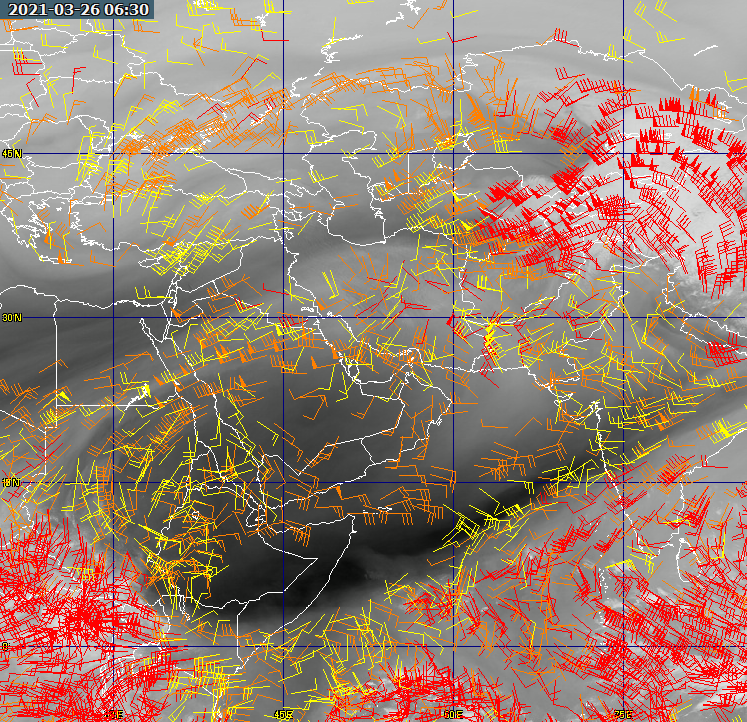
Data from Meteosat-9 showing winds over Europe. Data copyright (c) EUMETSAT 2008.
Supported dataHere is information about some of the supported data types, and the TelliCast and MSG Data Manager settings required. The disk locations are given relative to a standard MSG Data Manager installation, where the HRIT images are in \Images\HRIT\. I've also added a note about whether you get this data automatically, or whether you need to request it explicitly from EUMETSAT.
Note that the AMV (air motion vector) data contains a lot of motion vectors, and therefore may take some tens of seconds to decode and display. Data which is NOT currently supported:Level-1 data, such as:
Note the "L1" in the file extension. There are more comprehensive BUFRdisplay (graphical) and BUFRextract (command-line) programs from Francis Breame.
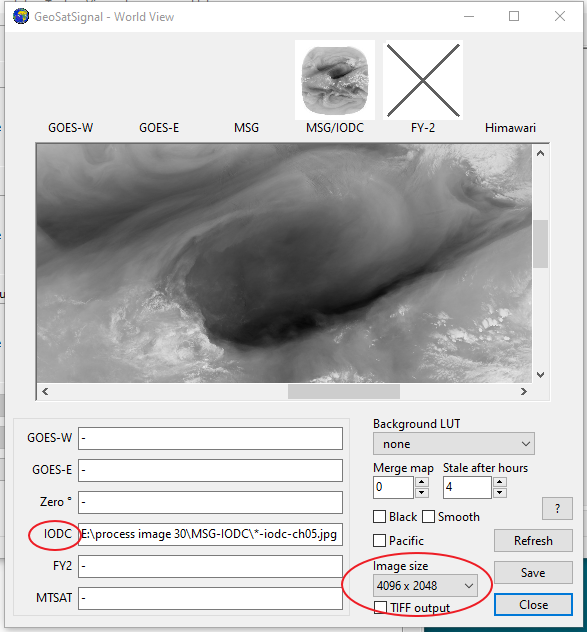
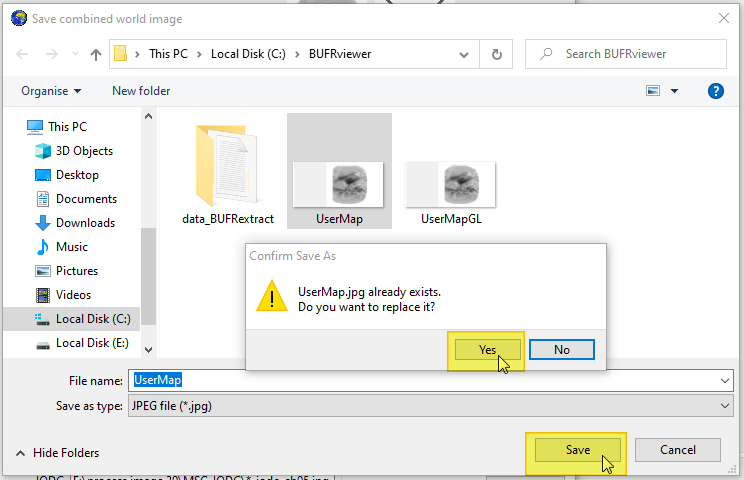
Example - overlaying Air Motion Vector data on a Water Vapour imageThis is an example sent to me by Hamdan Alnaqbi. He writes: These are the steps to combine a latest Meteosat water vapour or infrared full disk image with AMV data:
My thanks to Handan for mentioning his idea and the write-up. The original post is here on Groups.IO.
Getting the BUFR ViewerDownload
You can register the BUFR Viewer here. The program requires registration, and a 30-day trial period registration is built into the program. Beta version: This program is under continual
development - check here
for the latest update. Operating NotesThe program will try and decode the BUFR information in a file as wind vectors, in the first instance. The data will be saved as a text file named: _temp.txt in the program's directory. If you have problems with decoding data, please first check that the _temp.txt file appears to be correct. If it just contains a single header line, without any data, it's possible that the data you have chosen does not contain any wind information. For example, some of the scatterometer data is only available over the sea parts of the pass, not over land parts. The program will try and save the text file, in a slightly edited form, back in the data directory, so that running a data file: ascat_20080525_080901_metopa_08291_eps_o_250_ovw.l2_bufr would produce a new text file: ascat_20080525_080901_metopa_08291_eps_o_250_ovw.l2_bufr.txt in the same directory. If the program cannot write to the data directory, the file will need to undergo the decoding process each time. The text version of the data file will be displayed in the Properties tab. Please note that due to limitations of the decoder software, this program will not work for some data types if it is installed in a directory which has spaces in the directory name. Therefore please do not install it in the "C:\Program Files" directory tree. EUMETCast updatesSome of this data is sent over the SAF-Europe data channel in EUMETCast, so to receive it you may need to add lines like: [SAF-Europe] target_directory=received to your recv-channels.ini file. You should point the target_directory at the same directory which the MSG Data Manager uses (i.e. the common directory you use for EUMETCast data). Add one line for each data channel you wish to receive. Debugging notesAs this program is still in the early stages of developments, it is possible that you may need to debug the operation of the decoders which this program uses. To do so, build up a command file named, for example, _test.cmd, with contents like the example below, but with the directories altered to suit your own system. CD "C:\Tools\David J Taylor\BUFRViewer\" SET BUFR_TABLES=C:/Tools/David J Taylor/BUFRViewer/ Bufr2Asc.exe "D:\MSG\Images\SCAT\2008\06\13\ascat_20080613_184801_metopa_08568_eps_o_250_ovw.l2_bufr" _temp.txt Note the need for file and directory names containing spaces to be enclosed in quotation marks ("). Please discuss the results on the SatSignal self-help group. | |||||||||||||||||||||||||||||||||||||||||||||||||||||||||||||||||||||||||||||||||||||||||||||
|
|