














|
|
|
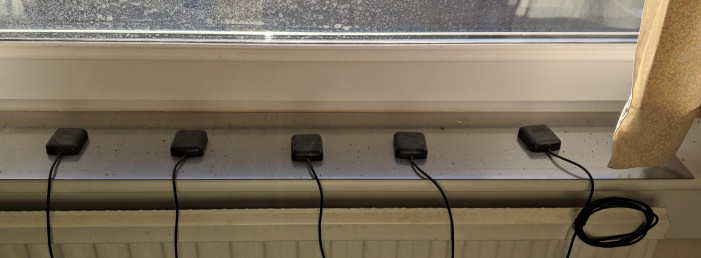
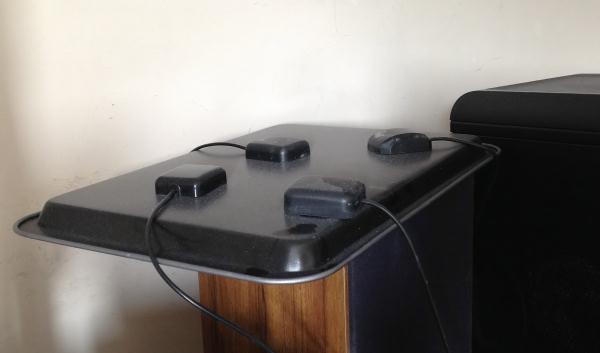
| I have been using NTP for many years to keep my PCs in accurate time, and you can see how well they are doing right now here. There are a growing number of applications which require your PC to be set accurately, and there is no better way than NTP to achieve this. I have provided a brief quick-start guide to Installing NTP for Windows. Yes, time is an interest of mine, and so I have ended up establishing my own precise clocks using GPS receivers as a source of time. You will find these described under the GPS18 links on the left, one using FreeBSD and one using Windows-2000, XP or Windows-7. More recently I have been playing with the Raspberry Pi cards as precision NTP servers - they are low cost, low power consumption, and easy to use, high-performance GPS/PPS receivers are easily available in the UK and USA. I have also written some programs to show using graphs how well NTP is performing on your PCs, and to trace rogue leap-second indicating PCs. These are described on my Net Tools page. NTP started out on UNIX, but has since been ported to many other operating systems. You can now get an easy-to-install NTP for Windows, and there has been a recent revival in improving NTP working with windows with improved accuracy, different OS support, and using with a GPS receiver as a precise time source. Perhaps the best accuracy, though, is from NTP running on FreeBSD. What do those NTP version numbers mean? See this page. Richard Hawkesford offers some interesting thoughts on time synchronisation issues (only a company link is now available). And for fun - photos of my GPS antenna farms - generation 1 and generation 2!
|
|
|